How to Connect ChatGPT with Your Apps Using Composio for Enhanced Productivity
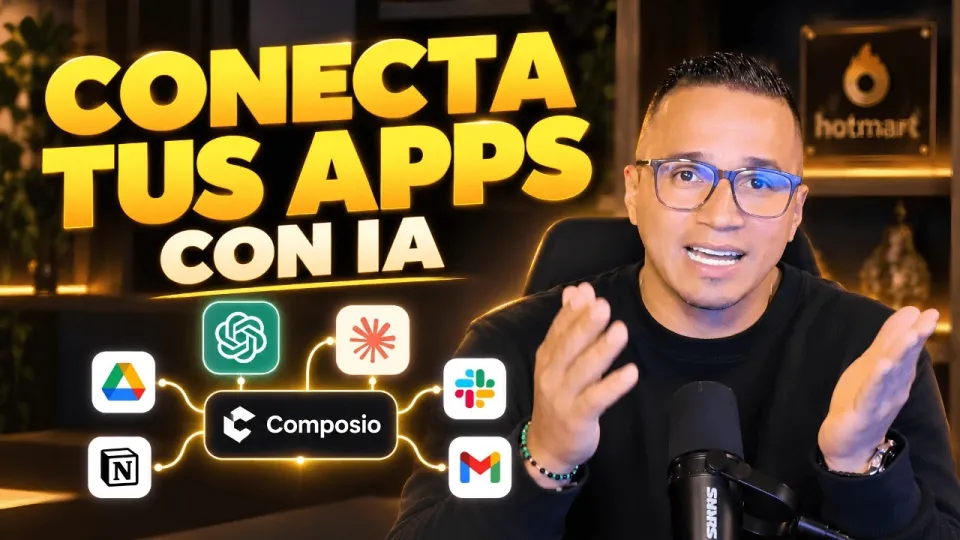
Video: Conecta ChatGPT, Claude y tus apps: así haces más con Composio
· based on the channel DataEdu
What is Composio and How It Connects AI Assistants to Your Apps
Composio is a platform designed to seamlessly connect artificial intelligence assistants such as ChatGPT, Claude, and Manus IA with the applications you already use daily. It offers both native and external connectors that facilitate integration without complex coding. This enables users to automate workflows, increase productivity, and leverage AI capabilities directly within familiar software environments.
Understanding Native and External Connectors in Composio
Native connectors are built-in integrations developed specifically for popular applications, offering optimized and secure connections. External connectors allow linking with less common or custom apps via APIs or other methods. Composio supports both types, giving flexibility to connect AI assistants with a wide range of tools.
Step-by-Step Guide to Connecting ChatGPT with Google Drive Using Composio
- Authorize Your Google Drive Account: Within Composio, initiate the connection by authorizing access to your Google Drive account. This step ensures secure permission handling.
- Select Actions Offered by the Connector: Once connected, you can choose from various actions such as reading, writing, or managing files.
- Configure Permissions: Composio requires specific permissions to operate effectively; review and grant them carefully to maintain data security.
- Test the Connection: Perform a test action, like retrieving a document, to confirm successful integration.
This process demonstrates how Composio simplifies linking ChatGPT to your cloud storage, enabling AI-powered document processing and automation.
Applying Composio Integration to Other AI Tools
Besides ChatGPT, Composio supports connections with AI assistants like Claude and Manus IA. Depending on the available integrations, users can connect these assistants to compatible apps, extending automation and productivity benefits across platforms. The approach remains consistent: authorize accounts, select actions, set permissions, and test functionality.
Addressing Security and Privacy Concerns
When integrating AI assistants with applications containing sensitive data, such as Power BI semantic models, it is crucial to consider data security. Composio manages authorization and permissions securely, but users should always verify that connectors do not expose confidential information inadvertently. Adhering to best practices in access control and monitoring helps mitigate risks.
Typical Questions About Using Composio with ChatGPT and Other AI Assistants
Many users wonder about the ease of setup, range of compatible apps, and safety of data connections. Composio provides a user-friendly interface for connection management and supports multiple popular applications. Security is a priority, with clear permission handling and authorization steps ensuring controlled access.
Useful Links
- Storytelling Book for Data Visualization and Dashboards — Learn to transform dashboards into clear, professional stories.
- Excel DataEdu Course — Master Excel and automate data analysis faster.
- DAX Advanced Analysis Course — Deepen your data analysis skills with DAX.
- DataEdu Instagram — Engage with the community and learn more about Power BI.
- DataEdu LinkedIn — Connect professionally and share insights.
Summary
Connecting ChatGPT and other AI assistants with your existing applications is straightforward with Composio. By using native and external connectors, you can automate tasks, access files on Google Drive, and expand AI capabilities across platforms like Claude and Manus IA. Ensuring proper authorization and permissions keeps your data secure while enhancing productivity. For a comprehensive guide and additional learning resources, visit the Storytelling Book page. This article is based on insights from the DataEdu channel, a trusted source for AI and productivity tools integration.
Key takeaways
- Composio enables connecting AI assistants like ChatGPT and Claude to popular apps.
- Supports native and external connectors for versatile integration.
- Google Drive integration allows file access and automated actions.
- Authorization management ensures data security and proper permissions.
- Applicable to multiple AI tools including Manus IA and others based on available integrations.
Questions & answers
Is it safe to connect Composio with apps that contain sensitive data like Power BI semantic models?
Composio manages authorization and permissions securely to protect sensitive data. However, users should carefully review and control access permissions to ensure confidential information is not exposed during integration.
What types of connectors does Composio support for AI assistant integration?
Composio supports both native connectors, which are built-in for popular applications, and external connectors that use APIs or other methods, allowing flexible integration with a wide range of apps.
Can I connect AI assistants other than ChatGPT using Composio?
Yes, Composio supports connecting other AI assistants such as Claude and Manus IA, depending on the integrations available for each tool, enabling broad AI-powered automation.
How do I authorize and set up a connection between ChatGPT and Google Drive in Composio?
You start by authorizing your Google Drive account within Composio, then select available actions like file access, configure required permissions, and finally test the connection to ensure it works properly.
Source: Conecta ChatGPT, Claude y tus apps: así haces más con Composio · Markdown version